


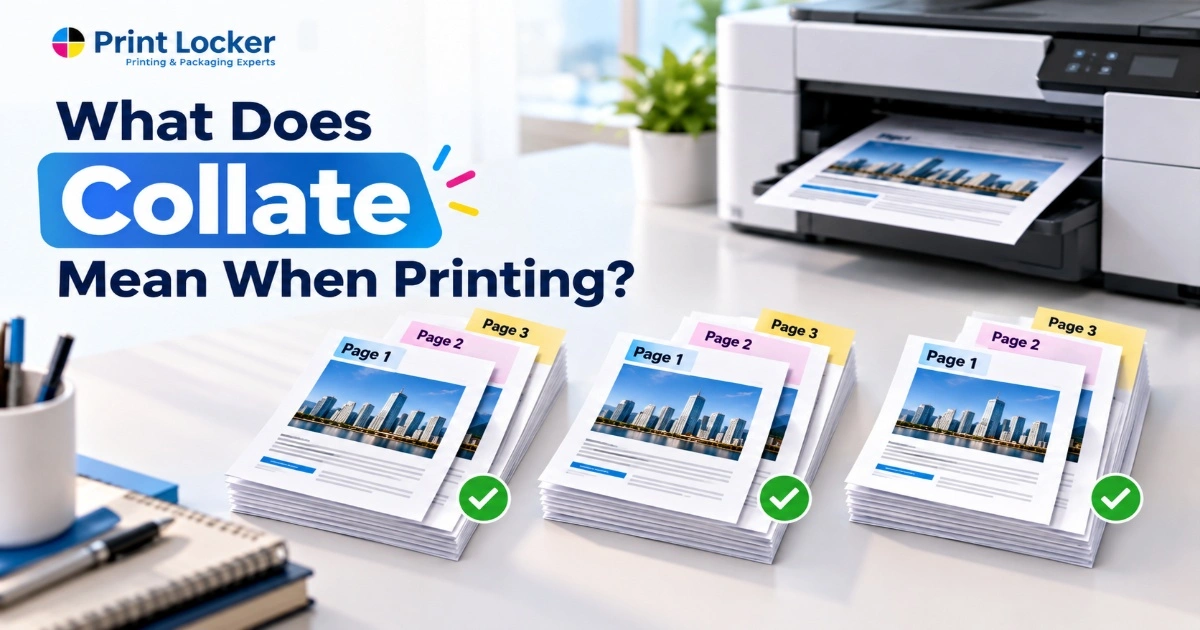
If you’ve printed multiple copies of a document that has multiple pages, you might have noticed the “Collate” option on your printer settings. So, what does this option actually do?
In simpler terms, collating means arranging printed pages in the correct order for each copy. This comes in very handy, especially in the case of reports, booklets, brochures, manuals, and other multi-page documents.
Here is a simple guide explaining the meaning of collating, when to use it, and how it is different from uncollated printing.
What Does Collate Mean When Printing?
When printing, collate means arranging pages into complete sets in the correct order.
For example, imagine you have a three-page document and want to print two copies.
With collation turned on, your printer produces:
- Copy 1: Page 1 → Page 2 → Page 3
- Copy 2: Page 1 → Page 2 → Page 3
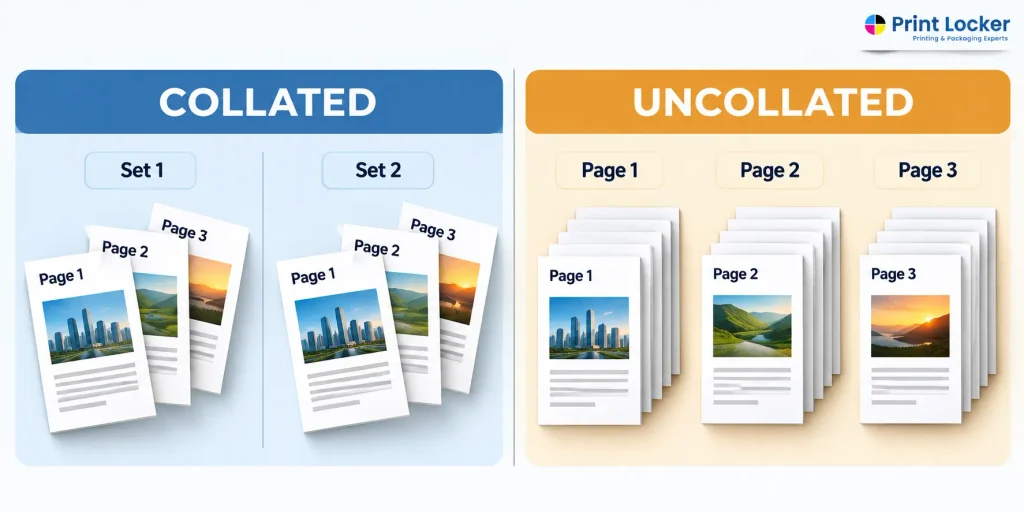
Without collation, the printer may produce:
- Page 1 → Page 1
- Page 2 → Page 2
- Page 3 → Page 3
So, what does collate mean in printing? Essentially, collate means that the printer arranges several copies of a document to make them ready in complete, ordered sets.
This is also what people mean when they ask what does collate mean in printing. Rather than getting piles of similar pages, you get each copy ready for use.
What Is Collate Printing?
Collate printing is the process of printing multiple copies of a multi-page document and automatically putting the pages in the correct sequence.
Most modern printers and print settings include a Collate checkbox or option. When you select it, the printer organizes each complete document before starting the next copy.
For example, if you print five copies of a 10-page report, the collated result will be:
1, 2, 3, 4, 5, 6, 7, 8, 9, 10
1, 2, 3, 4, 5, 6, 7, 8, 9, 10
1, 2, 3, 4, 5, 6, 7, 8, 9, 10
As a result, the meaning of collate printing is made clear: it refers to printing complete copies rather than identical pages together.
When should you select Collate?
Select Collate when:
- You are printing more than one copy.
- Your document has multiple pages.
- Each copy needs to be ready for distribution.
- You want to avoid manually sorting pages afterward.
Collate Meaning in Printing: Simple Example
A simple three-page document makes the difference easy to understand.
Suppose you need two copies of pages 1, 2, and 3.
Collated
- Set 1: 1 → 2 → 3
- Set 2: 1 → 2 → 3
Each set is already complete and ready to hand to someone.
Uncollated
- 1 → 1
- 2 → 2
- 3 → 3
You would need to take one Page 1, one Page 2, and one Page 3 and put them together yourself.
This example explains the basic collate meaning in printing and why the setting can save time when producing multiple copies.
Collate vs. Uncollated: What Is the Difference?
The main difference between collate vs uncollated printing is how the pages are arranged after printing.
| Collated | Uncollated |
| Pages are arranged in complete sets | Pages are grouped by page number |
| Ready for distribution | Usually requires manual sorting |
| Useful for booklets, reports, and handouts | Useful when pages need separate handling |
| Saves time when preparing multiple copies | Can be useful for specific page-by-page tasks |
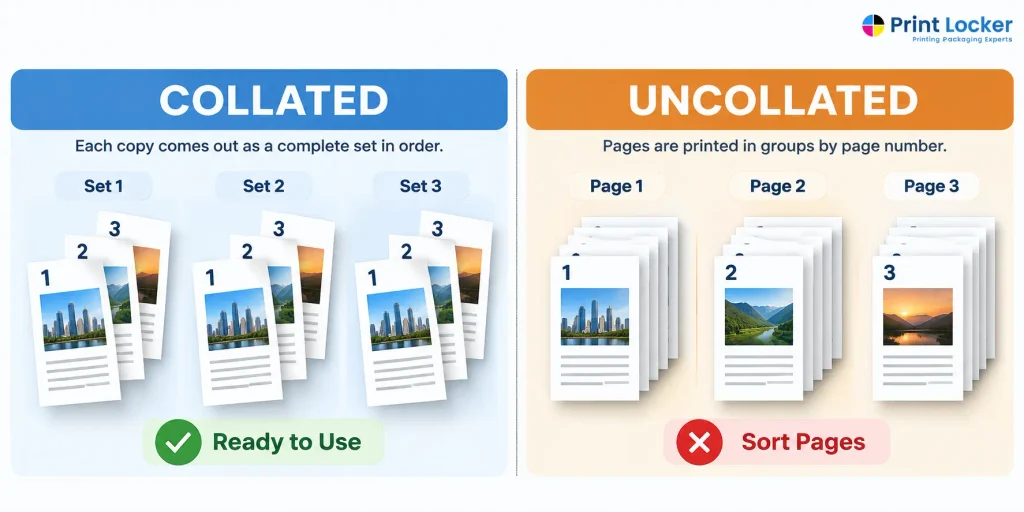
For example, if you are printing 20 copies of a five-page training handout, collating can save considerable time because every five-page set comes out in order.
On the other hand, if you need 20 copies of Page 1 for one purpose, followed by 20 copies of Page 2, uncollated printing may be more convenient.
When Should You Use Collate When Printing?
Collation is useful for many printed materials, including brochures produced by a Brochure printing service in Los Angeles, especially when multiple copies need to be prepared and distributed.
Common examples include:
- Multi-page documents: Keep reports and documents together in the right order.
- Booklets: Make sure each printed copy contains the pages in sequence.
- Brochures: Useful when producing multiple-page folded marketing materials.
- Reports: Each person receives a complete report without sorting pages.
- Manuals: Keep instructions organized from the first page to the last.
- Training materials: Make handouts easier to prepare and distribute.
For businesses, this is really valuable when creating printed materials intended for meetings, presentations, events or distribution to their customers.
The key question is simple: Do you want each copy to come out as a complete set? If yes, collating is usually the right choice.
How to Turn Collate On When Printing
Turning on the collate option is usually straightforward.
- Open the Print dialog from your document or application.
- Select the number of copies you need.
- Look for the Collate option.
- Turn Collate on if you want complete copies in page order.
- Click Print.
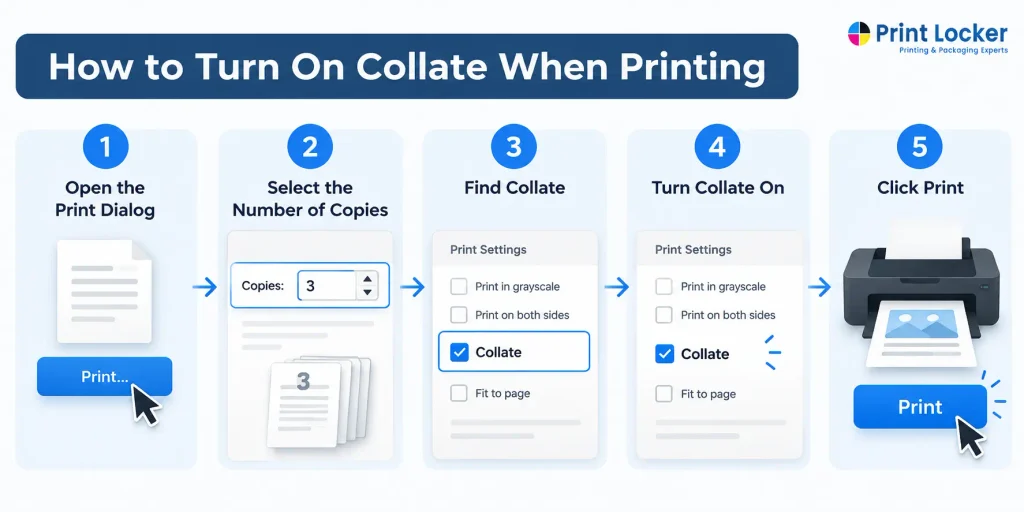
The exact location of the setting varies according to the printer, computer, OS or the software being used.
Before printing a large order, it makes sense to print one copy first to check that the pages are arranged correctly.
When it comes to printing, knowing what collating means can greatly ease your daily printing tasks. If you need to print multiple copies of a multi-page document, choosing the option to collate will help you save time and avoid the hassle of sorting the pages yourself.
Using collate becomes most useful while printing things like reports, booklets, brochures, manuals and business materials, since with properly arranged printed pages, the final outcome will look organized and professional.
❓ FAQs
Q1: What does collate mean on a printer?
Collate tells the printer to arrange pages into complete sets when printing multiple copies of a multi-page document.
Q2: Is collated or uncollated better?
Neither is always better. Collated is best when you need complete document sets, while uncollated can be useful when you want pages grouped by page number.
Q3: What is the difference between collated and uncollated printing?
Collated printing creates complete copies in page order. Uncollated printing groups the same page together, so the pages may need to be sorted afterward.
Q4: Does collate mean printing pages in order?
Yes. When printing multiple copies, collating generally means arranging each copy's pages in the correct sequence.
Q5: Can I collate a document when printing only one copy?
Collation is mainly useful when printing multiple copies of a multi-page document. With just one copy, the pages will normally print in their regular order, so turning on Collate usually makes no noticeable difference.


