
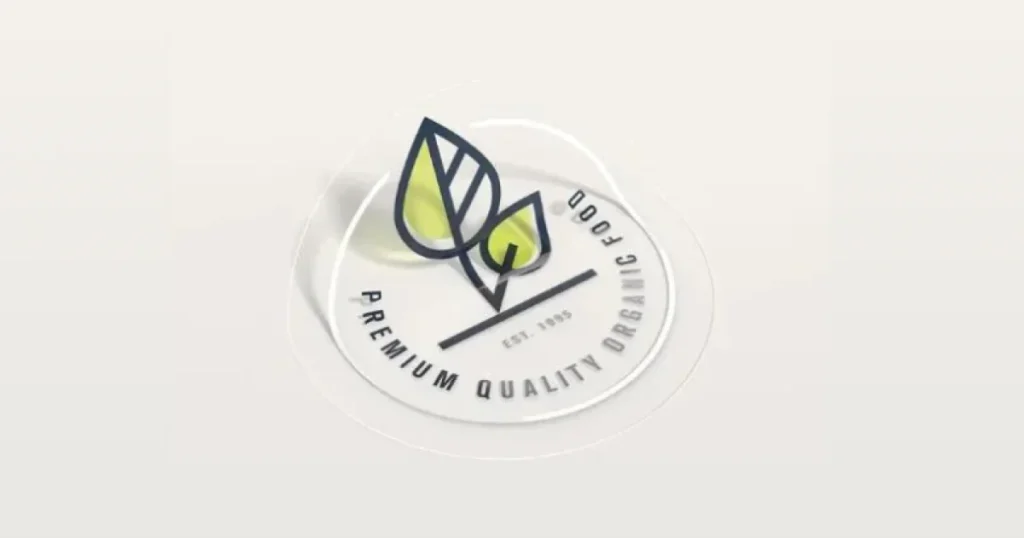
Give your branding a clean, modern appearance with custom clear sticker printing in Los Angeles. Clear stickers are ideal for businesses that want their logos, product information or graphics to stand out without a solid white sticker background. Use them on suitable bottles, jars, product packaging, containers and promotional materials to create a transparent, minimal look. Choose from multiple sizes, shapes, materials, finishes, white-ink settings and unwind directions to match your design and application needs. PrintLocker serves customers in Los Angeles and nearby areas, including Beverly Hills and Culver City.
- Transparent sticker designs for clean, professional product presentation
- Multiple sizes and shapes, including custom options for your artwork
- Customizable white-ink settings, finishes and unwind directions
What Are Clear Stickers?
Clear stickers are custom-printed adhesive stickers made to create a transparent appearance. They allow portions of the surface beneath the sticker to remain visible, making them a popular choice for branding and packaging where a traditional white sticker background may not fit the desired look.
With clear sticker printing in Los Angeles, businesses can display logos, product graphics, text and other artwork on suitable bottles, jars, containers and packaging. Depending on the material and artwork settings, you can create transparent designs, selectively clear areas or incorporate white ink into your design.
Why Choose Custom Clear Sticker Printing?
Custom clear stickers offer a versatile way to display branding while allowing the underlying surface to remain part of the overall design.
- Create a transparent look: Let the product or packaging show through in selected areas of your sticker design.
- Highlight your branding: Display logos, product names and graphics without a conventional solid white background.
- Customize your design: Choose from standard sizes, rounded-corner shapes, circles, ovals and custom shapes.
- Choose your white-ink settings: Select how transparent areas and white elements are handled according to the available production options.
- Match your preferred finish: Choose matte laminate or gloss coating to complement your artwork.
- Plan label application: Select an unwind direction that suits how your stickers will be handled or applied.
PrintLocker provides custom sticker printing for businesses and organizations in Los Angeles and nearby communities. Choose the specifications that fit your artwork and application requirements, then request a quote for your project.
Where Clear Stickers Work Best
Clear stickers are suitable for many branding and packaging applications where a transparent appearance supports the product’s overall presentation.
- Bottle and Jar Labels: Add branding to suitable bottles and jars while keeping portions of the container visible.
- Product Packaging: Apply clear stickers to compatible packaging for a minimal, branded appearance.
- Cosmetics and Personal Care Products: Display logos and product details on suitable containers, subject to material and application compatibility.
- Food and Beverage Packaging: Use clear stickers on suitable containers and packaging when the selected material meets the application’s requirements.
- Retail Products: Add logos, product names or decorative graphics to selected retail packaging.
- Promotional Materials: Create transparent branded stickers for business giveaways, events and marketing campaigns.
- Custom Product Branding: Use clear stickers when you want the underlying color or design of a suitable surface to remain visible.
When selecting a material, consider the surface, moisture exposure, temperature and handling conditions. For product labels, also ensure that the artwork and labeling meet any applicable requirements for your product category.
Specifications
Customize your clear stickers by selecting the size, shape, material, finish, white-ink setting and unwind direction that suit your artwork and intended application.
Size Options
Choose a size that provides enough space for your logo, product name, graphics or other important information. The following square dimensions are the specified options for this product:
- 0.5″ × 0.5″
- 1″ × 1″
- 1.5″ × 1.5″
- 2″ × 2″
- 2.5″ × 2.5″
- 3″ × 3″
- 3.5″ × 3.5″
- 4″ × 4″
- 4.5″ × 4.5″
- 5″ × 5″
Smaller sizes can suit compact logos and subtle branding, while larger sizes provide more room for graphics and text. Confirm the dimensions available for your selected shape before ordering.
Shape Options
Choose a shape that complements your artwork and the surface where the sticker will be applied.
- Square (Rounded Corners)
- A compact shape for logos, product graphics and square sticker designs with softened corners.
- Rectangle (Rounded Corners)
- Suitable for horizontal or vertical layouts, product names and designs with more text.
- Circle
- Works well for round logos, brand emblems and compact graphics.
- Oval
- Provides an elongated rounded shape for logos, names and horizontal designs.
- Custom
- Allows the sticker outline to follow your artwork or a distinctive design, subject to production requirements.
Consider how the transparent background will interact with the surface beneath the sticker when preparing your artwork. Leave adequate spacing around text and important graphics so the design remains easy to read.
Material Options
Choose a material according to your preferred appearance and intended application. The specified material options are listed below.
- Clear BOPP
- A transparent film material suited to designs that call for a clear, minimal sticker appearance. It is commonly used for product and container labels where the surface beneath the sticker is intended to remain visible.
- Removable White BOPP
- A white film option to consider when a removable sticker is needed. Because it is white rather than transparent, confirm that it suits your desired appearance and removal requirements.
- Holographic Rainbow BOPP
- Adds a rainbow-like holographic effect for distinctive, eye-catching sticker designs. Confirm the available appearance and suitability for your intended application.
- 100% Recycled Kraft Paper
- Provides a natural kraft-paper appearance for designs that call for a paper-based look rather than a transparent effect.
Important: Clear BOPP is the most directly aligned option when your goal is a transparent sticker. The other listed materials have different appearances, so confirm the selected material against your intended design before placing an order.
Material performance depends on the specific product, adhesive, application surface and exposure conditions. Confirm suitability for moisture, temperature or other environmental requirements before ordering.
Finish Options
Choose a finish that complements your artwork and preferred appearance.
- Matte Laminate
- Provides a less reflective appearance for a subtle, understated look.
- Gloss Coating
- Adds a glossy appearance that can make printed graphics look brighter and more polished.
The selected finish can affect how the sticker looks under different lighting conditions. Confirm which finish is compatible with your selected material and production specifications.
White Ink Options
White-ink settings determine how transparent and white areas of your artwork are handled during printing. This choice is particularly important for clear stickers because the underlying surface can influence how the printed design appears.
- Make Everything Transparent
- Select this option when you want the design to have a transparent appearance without white areas being printed as white. Confirm how opaque colors and other artwork elements will reproduce under this setting.
- Make Only the Background Clear (Free Upgrade)
- Keeps the background transparent while allowing the intended design elements to remain visible according to the selected printing setup.
- Make White Areas Clear (Free Upgrade)
- Makes white areas of the artwork transparent so the surface beneath can show through those parts of the design.
- Follow File Settings (Free Upgrade)
- Uses the white-ink instructions specified in your submitted artwork, subject to file setup and production requirements.
Before submitting your file, review the artwork carefully and identify which areas should be transparent and which should remain visible. If your design depends on white ink for contrast on a dark or colored surface, confirm the correct setting before ordering.
Unwind Direction Options
Unwind direction determines how a roll of stickers is oriented as it comes off the roll. Selecting the appropriate direction can help align the labels with your handling process or compatible application equipment.
- Not Important
- Choose this option when the orientation of the sticker on the roll does not matter for your intended application.
- Top of Copy
- Positions the top of the design in the specified top-facing orientation as the roll unwinds.
- Bottom of Copy
- Positions the bottom of the design in the specified orientation as the roll unwinds.
- Right of Copy
- Sets the right side of the design as the reference orientation for the roll.
- Left of Copy
- Sets the left side of the design as the reference orientation for the roll.
If you plan to apply labels with a dispenser or labeling machine, confirm the required unwind direction before placing your order. The correct choice depends on your equipment and how the container or product moves through the application process.
Clear Sticker FAQs
What are clear stickers used for?
Clear stickers are used for product packaging, bottle and jar labels, cosmetics containers, retail products, promotional materials and branded packaging. They are especially useful when you want the surface beneath the sticker to remain visible.
What sizes are available for clear sticker printing?
The specified square sizes range from 0.5" × 0.5" to 5" × 5". Available dimensions may depend on the selected shape, so confirm your required size before ordering.
What shapes can I choose for clear stickers?
The specified options are square with rounded corners, rectangle with rounded corners, circle, oval and custom shape. Choose the shape that best fits your logo, graphics and application surface.
Which materials are available for clear stickers?
The listed options are Clear BOPP, Removable White BOPP, Holographic Rainbow BOPP and 100% Recycled Kraft Paper. Clear BOPP is the most directly suited to a transparent sticker appearance; the other materials offer different visual effects.
What does the white-ink setting do?
The white-ink setting determines how white and transparent areas of your design are treated during printing. Options include making everything transparent, keeping only the background clear, making white areas clear or following the settings in your artwork file.
Can I choose a matte or gloss finish for clear stickers?
The specified finish options are matte laminate and gloss coating. Matte laminate provides a less reflective appearance, while gloss coating adds shine. Confirm finish compatibility with your selected material.
What is unwind direction and which option should I choose?
Unwind direction specifies how the design is oriented as stickers come off a roll. Options include Not Important, Top of Copy, Bottom of Copy, Right of Copy and Left of Copy. If you use a label dispenser or automated applicator, check the equipment requirements before selecting an option.
How can I order clear stickers in Los Angeles?
Prepare your artwork and choose your preferred size, shape, material, finish, white-ink setting and unwind direction. Then request a quote from PrintLocker or call 844-756-2537 to discuss your clear sticker printing requirements in Los Angeles and nearby areas.
Need a different Sticker?
What Customers Say About PrintLocker
Verified Google reviews


Let's Get Your Project Printed
Have a print project in mind? Connect with our team or get in touch to discuss your requirements.
- Free, no-obligation quotes
- Digital proof before printing
- Reply within one business day
- Clear pricing — no hidden fees
- Your files kept private & secure
- Rated 5.0 on Google
Need Same-Day Clear Sticker Printing?
Same-day is a separate, faster service for eligible projects — order before 2pm. Call us and we'll tell you honestly whether your order can be finished today.
Same-day availability can depend on the product, quantity, paper, specifications, and production requirements of your order.
Explore Same-Day Printing → Or call the shop: (844) 756-2537


